
Wine Label Printing Machines: Find the Right Fit
Meta description: Compare wine label printing machines by volume, budget & substrate. From home use to commercial runs — find the right printer in under 5 minutes.
The machine type you need is determined by how many labels you print per month, not by which brand dominates the marketing results. Most buyers waste money at both ends — hobbyists over-invest in production hardware they don't need, while boutique wineries under-invest and struggle with consumer printers that can't handle synthetic stocks or maintain colour consistency across runs.
 Gulmen Digital
What Is a Wine Label Printing Machine?
A wine label printing machine is a digital label printer, dedicated or general-purpose; capable of producing custom labels on roll or sheet stock sized for wine bottles, with the durability to survive condensation, chilling, and handling. The defining requirement is output that looks professional and holds together on glass in wet conditions, which immediately rules out most office printers paired with standard paper stock.
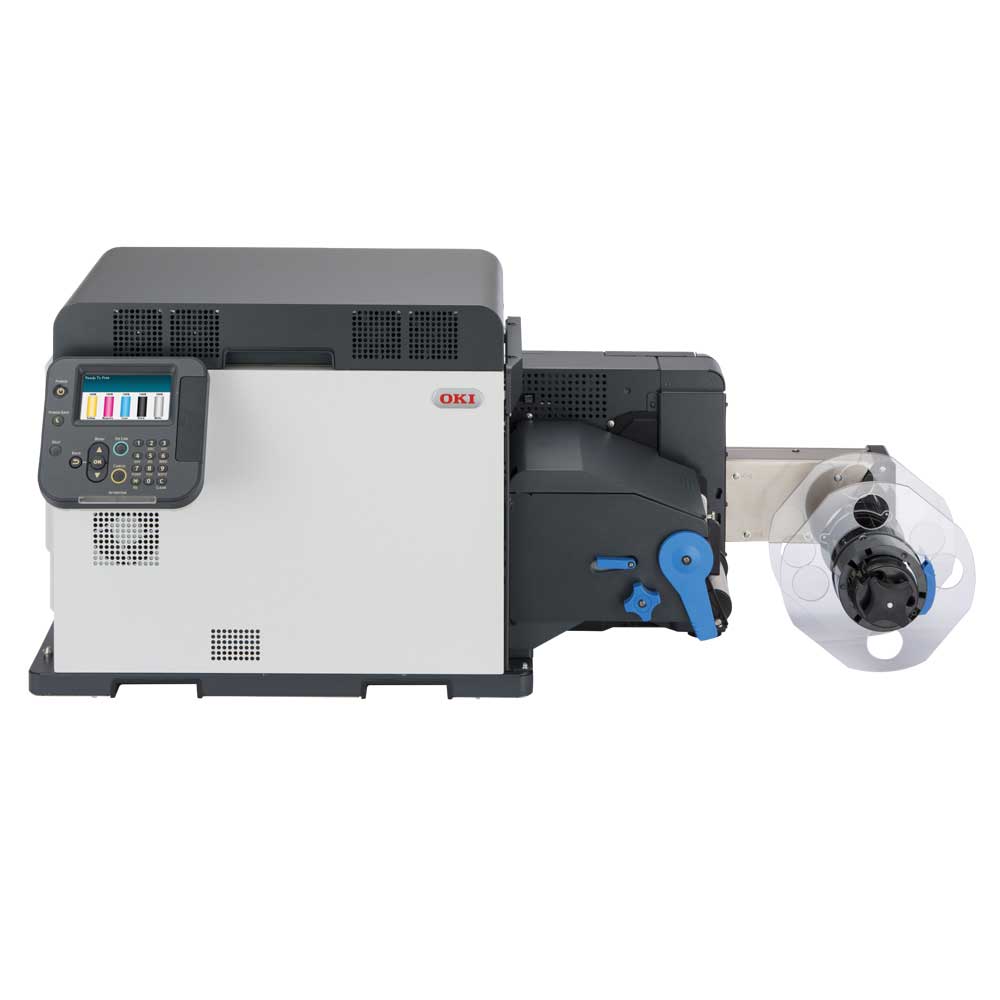
Four machine categories cover the market. Inkjet roll-to-roll colour label printers dominate small winery and craft producer use because they deliver photo-quality colour, handle custom shapes via built-in cutters, and run efficiently at short-to-medium volumes. Laser sheet-fed printers offer lower cost-per-label at moderate volume but underperform on foil and specialty stocks. Thermal transfer printers prioritise durability over colour, producing labels that survive ice buckets and abrasion reliably, at the cost of limited colour range. Wide-format inkjet printers suit panoramic or oversized designs but require more setup, finishing, and operator skill than the other categories.
Volume is the first filter, and it determines which category makes sense before you look at a single spec sheet.
- Under 50 labels/month: A consumer inkjet with printable label sheets, preferably waterproof synthetic stock; handles the job. A dedicated label printer is not a justified expense.
- 50–500 labels/month: This is the small winery zone. A dedicated desktop colour label printer on rolls pays for itself through consistency and media flexibility.
- 500+ labels/month: Production-grade systems or hybrid outsourcing arrangements are the right answer. Desktop units become a bottleneck.
You can print wine labels at home with a regular colour inkjet printer on printable label sheets. For occasional batches at ambient temperature, standard matte or gloss sheets work. For any bottle that will be chilled, condensation turns paper labels into a liability — waterproof polyester or polypropylene stock is the minimum requirement, and your inkjet must be rated compatible with it.
Types of Wine Label Printing Machines Compared
Inkjet Colour Label Printers
These are the workhorse for small wineries and craft producers doing wine bottle label printing on demand. Pigment inks on compatible synthetic stock produce labels resistant to water, UV exposure, and handling without additional lamination. Models with built-in auto-cutters let you run variable-length labels from a continuous roll, eliminating the need for pre-die-cut blanks on simple shapes.
The Epson ColorWorks CW-C6500A prints at up to 1,200 dpi with a maximum print width of 8.34 inches and speeds around 5 inches per second, positioning it for mid-to-high volume runs where throughput matters as much as image quality. The Primera LX3000 reaches up to 4,800 dpi effective resolution at a maximum 8.25-inch width, targeting short runs where fine detail and colour gradation are the priority. Both include auto-cutters and support synthetic media.
Head-to-head summary:
| Feature | Primera LX3000 | Epson CW-C6500A |
|---|---|---|
| Resolution | Up to 4,800 dpi | Up to 1,200 dpi |
| Max print width | 8.25 in | 8.34 in |
| Speed | ~4.5 ips | ~5 ips |
| Best for | Short-run, high-detail labels | Mid-volume, production consistency |
| Price (approx. AUD) | ~$3,000–$5,000 | ~$4,500–$7,000 |
If fine photographic imagery is central to your branding, the LX3000's resolution advantage matters. If you're running more labels more often, the CW-C6500A's throughput and industrial duty cycle edge it ahead.
Laser Label Printers
Laser printers use toner rather than liquid ink, and toner's dry, fused finish gives reasonable scratch resistance and handles moderate condensation on compatible synthetic laser stocks. The trade-off is colour gamut — lasers struggle to reproduce rich gradients and photographic detail the way inkjet machines do, which limits their appeal for premium front-label branding.
They perform better as back-label or compliance-label machines where text clarity and barcode accuracy matter more than visual impact. On foil or textured stocks, most office-grade lasers simply fail — the media isn't rated for toner fusing temperatures, and adhesion becomes unpredictable.
Thermal Transfer Printers
Thermal transfer uses a heated printhead and resin or wax ribbon to bond colour onto the label surface. The result is genuinely durable — waterproof, scuff-resistant, and capable of passing ice-bucket tests that would destroy inkjet labels on paper stock. The limitation is colour: most thermal transfer printers are monochrome or two-colour, which makes them the wrong tool for decorative front labels and the right tool for secondary labels, back labels, or logistics identification in a winery environment.
Wide-Format and Sheet-Fed Inkjet Printers
Wide-format systems allow panoramic or oversized label designs that roll-to-roll desktop printers can't accommodate. A winery using a large estate label, a full-wrap capsule design, or premium art paper needs this category. The catch is workflow complexity: wide-format output requires manual trimming or a separate die-cutting step, plus finishing for any protective coating. This suits studios or larger operations with dedicated print staff — not a small producer who needs 200 labels ready by Thursday morning.
 Gulmen Digital
How to Choose the Right Wine Label Printing Machine
Step 1 — Define Your Monthly Print Volume
Volume sets the category ceiling more reliably than any other variable. Under 200 labels/month, a Primera LX2000 or LX3000-class printer handles the load without over-engineering the workflow. Between 200 and 2,000 labels/month, an Epson CW-C6500A class system delivers lower cost-per-label and better media handling. Above 2,000 labels/month, a production-grade digital press or outsourcing arrangement becomes the more economical path, because desktop systems aren't designed for continuous heavy-duty cycles.
Step 2 — Choose Your Label Substrate
Substrate choice is where most buyers make their costliest mistake. Standard matte or gloss paper is the cheapest option and looks fine in a showroom, but a bottle pulled from an ice bucket will peel it. Waterproof synthetic stock, polypropylene or polyester; is the standard for any wine bottle that will be chilled, stored in a fridge, or served in a restaurant ice bucket. Foil and metallic stocks add premium visual weight but require inkjet-compatible coatings; generic foils fail badly on most inkjet systems. Kraft and textured papers deliver an artisan look but absorb ink differently, so pigment inks outperform dye inks on uncoated surfaces.
Step 3 — Set Your Budget: Machine Cost vs. Total Cost of Ownership
Entry-level dedicated colour label printers start around AUD $600–$1,500. Mid-range machines, the appropriate category for most small wineries; land between AUD $2,000 and $6,000. Commercial-grade systems begin at AUD $10,000 and can reach $250,000 for integrated digital press and finishing lines.
The sticker price is not the budget. Ink cartridges, label rolls, maintenance kits, and occasional printhead replacement routinely exceed the machine's purchase price over 12–24 months of regular use. A printer at AUD $3,000 paired with expensive small-format media rolls can cost more per label than outsourcing — particularly below 300 labels/month, where the break-even on a mid-range system typically sits.
Software is also part of the spend. Professional tools like NiceLabel or BarTender handle variable data, vintage codes, and barcodes. For simpler needs, designing in Canva or Adobe Illustrator and exporting to printer-native templates keeps costs low.
Step 4 — Consider Label Size and Shape
Standard front wine labels run approximately 3.5"×4" to 4"×5". Back labels and neck labels are smaller. Ensure the printer's maximum print width covers your design with clearance — an 8-inch-wide machine comfortably handles most standard wine formats. Custom contour shapes need either pre-die-cut rolls or a cutter-equipped printer; verify which your preferred machine supports before buying.
Buying in Australia
For Australian buyers, the practical checklist is short but important. Confirm the supplier is an authorised reseller with local warranty support — not a grey-market importer. Verify that compatible ink cartridges and label rolls are available domestically, because waiting three weeks for consumables during bottling season is a genuine operational risk. Factor GST and any import duty into direct overseas purchases before assuming they're cheaper than buying local. Australian distributors for brands including Epson and Primera operate nationally and can provide service access and media sourcing guidance.
Wine Label Printing Machine Price Guide
Entry-level (home and hobbyist): From approximately USD $400 / AUD $600. These machines handle small runs and prototypes, but carry higher per-label media costs that narrow the advantage over outsourcing at very low volumes.
Mid-range (small winery and craft producer): USD $2,000–$6,000. This is where in-house printing starts to win economically. At roughly 300–500 labels/month, a mid-range machine typically passes the break-even point against outsourcing to a converter, assuming moderate colour coverage and standard synthetic roll media.
Commercial-grade (high-volume production): USD $10,000–$50,000+, with integrated finishing systems pushing well beyond that. Wineries at this tier are optimising for cost-per-label, throughput, and automation compatibility rather than flexibility.
Setup, Software, and Getting the Best Results
Label design software: Adobe Illustrator or Affinity Designer for artwork creation; NiceLabel or BarTender for variable data, barcodes, and production batch management. Canva works for simple designs exported as high-resolution PDFs — adequate for most home and small-batch scenarios.
Colour management: Use ICC profiles specific to your printer, ink, and label stock combination. Most mid-range and production machines support RIP software that handles colour profiles, spot colour simulation, and queue management. A monitor calibration tool is a worthwhile investment if brand colour accuracy matters — what you see on an uncalibrated screen routinely differs from what prints on synthetic stock.
Ink and media for longevity: Pigment-based inks resist UV fading and moisture far better than dye inks. For bottles stored for years or frequently chilled, UV-resistant inks or a clear laminate overlay extend label life significantly. Waterproof polyester or polypropylene consistently outperforms paper in wine bottle environments — this is not a premium choice, it is the baseline.
Printing wine labels at home, step by step:
- Design your label in Canva or Adobe Illustrator at the correct dimensions (e.g., 90mm × 120mm).
- Select waterproof inkjet-compatible label sheets — polyester or polypropylene, not standard paper.
- Print one test sheet on plain paper to confirm alignment and scaling.
- Print on label stock at the highest quality setting your printer supports.
- Cut labels using scissors, a paper trimmer, or a desktop die-cutter for cleaner edges.
- Apply to clean, dry bottles; press firmly from the centre outward to prevent air pockets.
 Gulmen Digital
FAQ
What is the best wine label printing machine for a small winery? For most small wineries printing between 200 and 2,000 labels per month, a dedicated desktop colour inkjet label printer, such as the Epson CW-C6500A or Primera LX3000; is the right fit. These machines balance print quality, synthetic media compatibility, and cost-per-label at realistic production volumes. Choose based on whether image detail or throughput is your priority.
How much does a wine label printing machine cost? Entry-level dedicated colour label printers start around USD $400 / AUD $600. Mid-range machines suitable for small wineries typically cost USD $2,000–$6,000 (AUD $3,000–$9,000). Commercial-grade systems begin at USD $10,000 and scale well beyond that for integrated production lines. Over 12–24 months, ink, media, and maintenance often exceed the initial machine price.
Can I print wine labels at home with a regular printer? Yes, with caveats. A regular colour inkjet paired with waterproof printable label sheets produces acceptable results for small batches and gifts. The limitations are durability consistency, per-label cost at any meaningful volume, and the inability of most consumer printers to handle synthetic roll media. For anything beyond occasional personal use, a dedicated colour label printer is the more practical investment.
Where can I buy a wine label printing machine in Australia? Buy from authorised resellers who provide local warranty support, consumable availability, and service access. Distributors for Epson ColorWorks and Primera operate in Australia and supply compatible media locally. Buying direct from overseas may appear cheaper before accounting for GST, import duty, freight, and the cost of delayed service during bottling season.
What label material should I use for wine bottle labels? Waterproof synthetic stock, polypropylene or polyester; is the standard for any wine bottle that will be chilled, condensation-exposed, or placed in ice. Standard paper works for ambient-temperature, short-term use. Foil and metallic stocks suit premium branding but require inkjet-compatible coatings; kraft and textured papers deliver an artisan aesthetic but need pigment inks for best results on uncoated surfaces.

Comments ()