
Inkjet vs Toner Label Printers: Which Is Right for You?
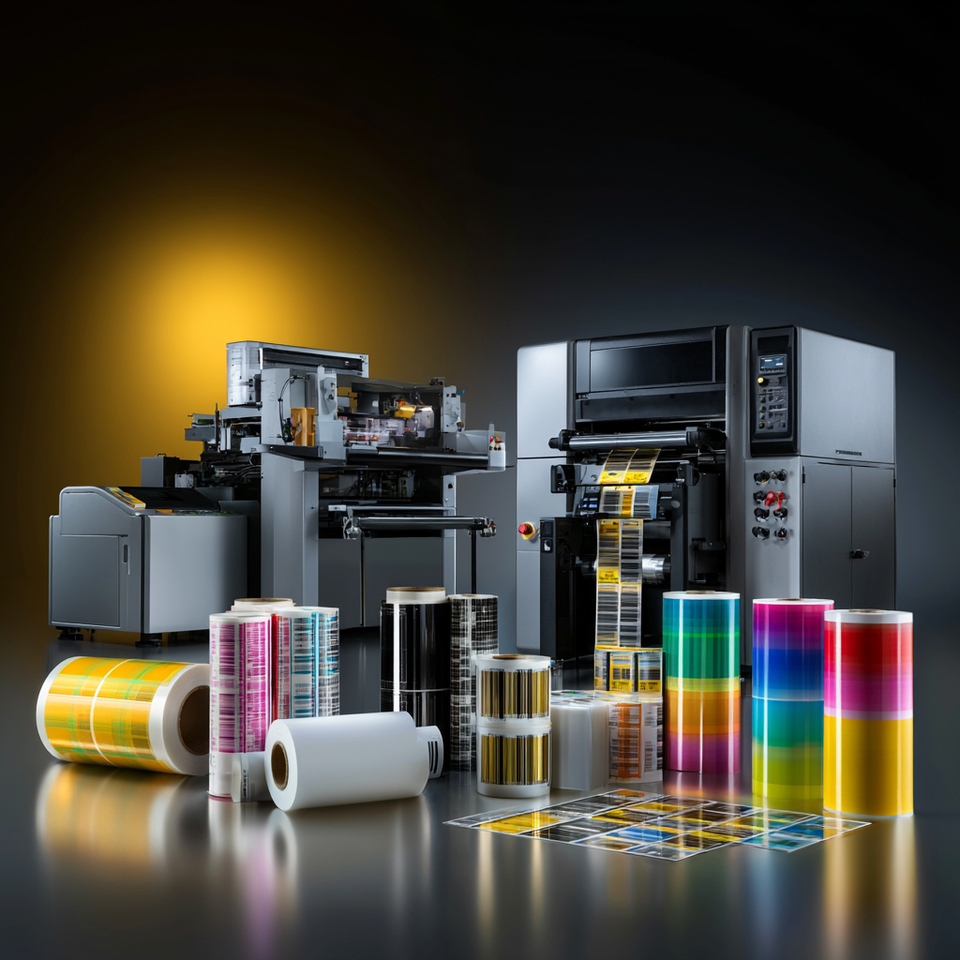
A label can look perfect on screen and still fail in production.
The ink smears on a polypropylene pouch. The toner fuser warps a heat-sensitive film. The printer looks affordable until the line starts waiting on output. The issue is not usually the label design. It is the printing technology behind it.
For Australian manufacturers, contract packers, and production teams, the real question is not “which printer is cheaper?”
It's which label printer technology is built for the labels you actually produce?
This guide compares inkjet vs toner label printers from a production point of view: how each technology works, where each performs best, what substrates each can handle, and how to think about total cost when label printing becomes part of your manufacturing workflow.
Quick orientation:
Inkjet label printers, especially industrial UV inkjet systems, are strongest when you need full-colour labels, substrate flexibility, variable data, high-resolution imagery, and industrial throughput.
Toner label printers, including laser and LED label printers, are strongest when you need crisp text, sharp barcodes, dry output, and a lower entry point for moderate-volume label workflows.
Thermal transfer printers remain the right fit for monochrome logistics, warehouse, asset, and barcode labels, but they are not a replacement for full-colour product branding.

Prefer to talk it through? Call (03) 9318 7177. Gulmen Digital’s team is in Victoria.
What Is the Difference Between Inkjet and Toner Label Printers?
Inkjet and toner label printers both produce professional labels, but they create the image in completely different ways.
An inkjet label printer fires microscopic droplets of liquid ink directly onto the label substrate. The print quality depends on droplet placement, ink chemistry, substrate compatibility, printhead technology, drying or curing, and colour management.
A toner label printer uses electrophotography. It creates an electrostatic image on a drum, attracts toner powder to that image, transfers it to the substrate, and fuses it using heat and pressure.
That difference affects almost everything that matters in production: print speed, material compatibility, durability, maintenance, running cost, and where the printer fits in the wider labelling workflow.
How Inkjet Label Printers Work
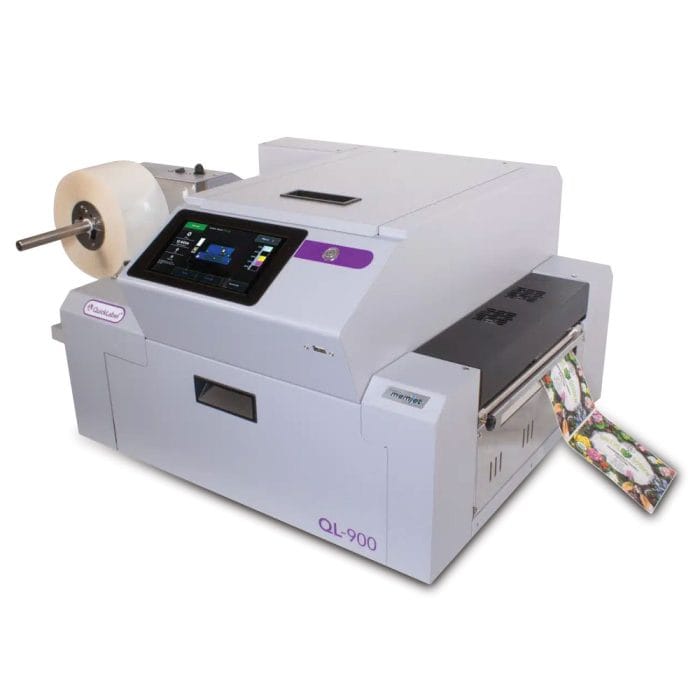
An inkjet label printer builds an image by firing microscopic droplets of liquid ink through nozzles onto the label material. Every dot is placed individually, allowing colour mixing, gradients, fine detail, and variable data to be printed without physical plates or contact between the printhead and media.
That no-contact process matters in label production. It allows inkjet systems to work with delicate films, textured stocks, synthetic materials, and roll-fed production environments where speed and flexibility are critical.
Thermal Inkjet vs Piezoelectric Inkjet
The two main inkjet printhead technologies are thermal inkjet and piezoelectric inkjet.
Thermal inkjet
They are often called TIJ, uses tiny resistive heaters behind each nozzle.
- When current is applied, the heater rapidly vaporises a thin layer of ink, forming a bubble that pushes a droplet out of the nozzle.
- The bubble collapses, the nozzle refills, and the process repeats.
- These inkjet heads are often integrated into the ink cartridge. That makes maintenance simple because a new cartridge also means fresh nozzles.
The trade-off is that printhead cost is built into the consumable structure. TIJ is well suited to aqueous pigment inks and compact colour label printers where ease of operation matters.
Piezoelectric inkjet
They are often called PIJ, works differently.
- A piezoelectric crystal flexes when voltage is applied, mechanically pushing ink through the nozzle.
- Because the ink is not heated, piezoelectric systems can support a wider range of ink chemistries, including UV-curable inks, high-viscosity pigment inks, and some solvent-based systems.
This is why many high-throughput industrial inkjet label printers use piezoelectric heads. They are designed for long production runs, broader ink compatibility, and demanding label applications.
Aqueous vs UV-Curable Inkjet Inks
Ink chemistry is one of the most important variables in label printing. The printhead determines how ink is ejected. The ink determines what materials you can print on, how durable the finished label is, and whether you need lamination or other finishing steps.
Aqueous Pigment Inks
Aqueous pigment inks suspend solid pigment particles in a water-based carrier. They can deliver strong colour density and good lightfastness, especially on coated papers, inkjet-receptive films, and carton stocks.
They are a strong option for food and beverage labels, retail product labels, and indoor applications where the label stock is designed for aqueous inkjet printing.
The limitation is durability. On uncoated or non-inkjet-rated synthetics, aqueous inks may not anchor properly. If the label needs to face moisture, chemicals, abrasion, or outdoor conditions, over-lamination is often needed.
UV-Curable Inks
UV-curable inks work differently. They contain photoinitiators that trigger polymerisation when exposed to UV light. Once exposed to UV energy, the ink cures quickly into a tough film that bonds to the substrate surface.
This makes UV inkjet highly useful for polypropylene, polyester, PVC, metallised films, clear films, and other non-porous label materials that are difficult for aqueous inks.
For Australian manufacturers producing chemical labels, chilled beverage labels, outdoor equipment labels, asset tags, or industrial identification labels, UV inkjet changes the durability equation.
UV-based inks cure instantly and improve adhesion and environmental resistance.
How Industrial Inkjet Achieves Speed and Quality
Industrial inkjet label printers are built differently from desktop printers.
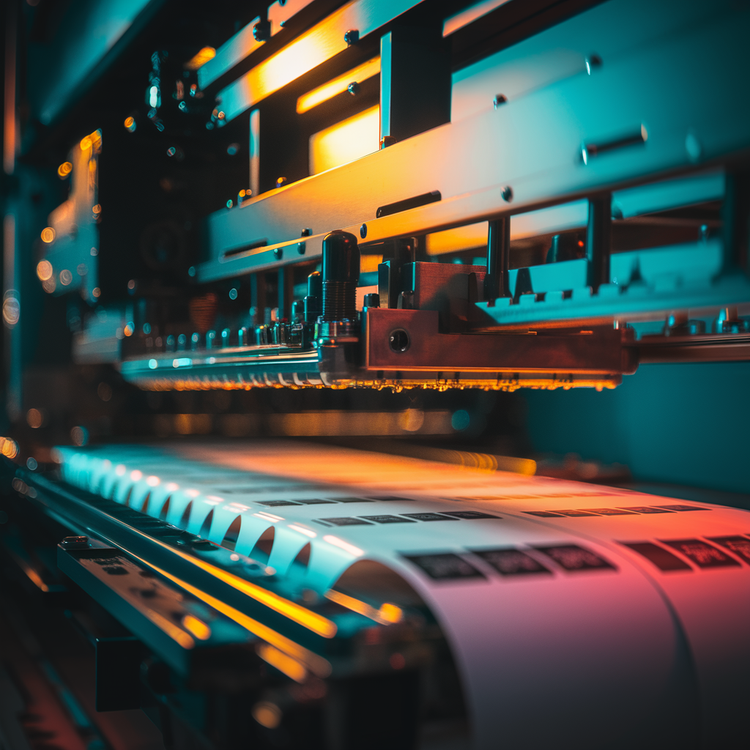
A desktop printer typically uses a scanning carriage that moves back and forth across the media. An industrial inkjet press uses fixed printhead arrays that span the full web width. The substrate moves continuously underneath the printheads in a single-pass configuration.
That architecture removes the carriage bottleneck. Combined with variable drop-size control, web tension systems, registration control, inline UV curing or drying, and real-time nozzle compensation, industrial inkjet can deliver high production speeds while maintaining consistent quality.
Modern industrial inkjet systems can reach high resolutions and high speeds in the same workflow. That is why UV inkjet has become a strong option for manufacturers that need full-colour labels, variable data, short runs, and frequent artwork changes without waiting on plates or external suppliers.
Digital label printing market was more than USD 12.12 billion in 2025.
How Toner Label Printers Work
Toner label printers use electrophotographic printing. The printer creates an electrostatic image on a photoconductor drum, attracts toner powder to the charged areas, transfers the toner to the label substrate, and then fuses it permanently using heat and pressure.
The finished output is dry immediately. There is no drying or curing dwell time. This gives toner printers an operational advantage for labels that need to be handled immediately after printing.
Toner output is also known for sharp text, high-contrast graphics, and reliable barcode reproduction. That makes toner a practical option for ingredient panels, batch labels, internal product labels, compliance text, and office-adjacent production workflows.
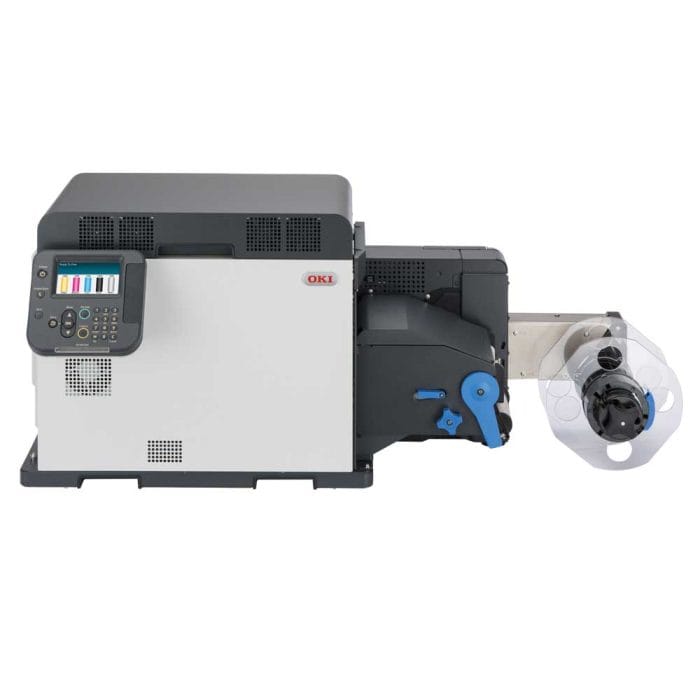
Laser vs LED Toner Technology
Laser and LED toner printers use the same basic electrophotographic process, but they differ in how the image is written onto the drum.
Laser toner systems use a scanning laser beam directed by rotating mirrors. The laser exposes the drum line by line. This is a mature, widely used technology known for sharp resolution and crisp text.
LED toner systems use a fixed bar of LEDs across the drum width. The LED array exposes the full line at once. With fewer moving optical components, LED systems can be simpler mechanically and reliable in production environments where ease of operation matters.
Both toner approaches are strong for barcodes, text, line work, and solid fills.
Dry Toner vs Liquid Toner
Most in-house toner label printers use dry toner. Dry toner is a fine polymer-based powder containing pigment and charge-control agents. The fuser bonds the toner to the substrate at elevated temperature, producing a durable image layer.
Dry toner works well for warehouse labels, internal operational labels, retail labels, and logistics labels where sharpness and immediate handling are important.
The main constraint is heat. The fuser temperature can deform heat-sensitive films, curl some synthetics, or cause adhesive issues if the material is not rated for toner printing.
Liquid toner is different. It disperses toner particles in an oil-based carrier and can produce a smoother, offset-like appearance. But liquid toner systems are production press environments rather than typical in-house label printers.
For most Australian manufacturers, the practical comparison is between dry toner and industrial inkjet.
Inkjet vs Toner Label Printers: Head-to-Head Comparison
Both inkjet and toner printers can produce professional labels. The right choice depends on your production volume, substrate range, durability requirements, print design, and budget.
Where Industrial Inkjet Excels
Industrial inkjet is strongest when label production requires colour, speed, substrate flexibility, and durability in the same system.
High-Resolution Colour for Premium Labels
Resolution alone does not define label quality, but high-resolution inkjet combined with colour management, suitable media, and the right ink chemistry can produce premium output across detailed designs.
This matters for labels that carry the brand experience: craft beverages, cosmetics, nutraceuticals, specialty foods, industrial products, and chemical labels where regulatory text and brand design must fit on the same face.
A cosmetics label may need fine ingredient text, smooth gradients, and premium colour presentation. A chemical label may need GHS pictograms, hazard diamonds, serialisation data, and supplier branding. A craft beverage label may need seasonal artwork that changes frequently.
Inkjet handles those scenarios without plate changes or long setup cycles.
High-Speed Production for Industrial Volumes
Industrial inkjet becomes especially valuable when production volume and SKU complexity increase together.
If a manufacturer is running multiple SKUs, changing artwork often, responding to regulatory updates, or producing labels just in time for a contract packing line, print speed is only part of the value. The larger advantage is agility.
With digital inkjet, labels can be printed on demand without plate mounting, without minimum order quantities, and without long supplier lead times.
Digital label printing production supports lower waste, efficient short runs, and traceability.
Wide Substrate Range
Substrate flexibility is one of industrial inkjet’s clearest advantages.
UV inkjet can print on polypropylene, polyester, PVC, metallised films, clear films, and other synthetic materials without relying on toner fuser compatibility. This matters when a manufacturer needs one system to support paper labels, chilled beverage labels, synthetic chemical labels, and premium product labels.
A toner system can work very well on toner-qualified media, but the substrate must tolerate heat and pressure. UV inkjet gives manufacturers more flexibility when label materials vary across product lines.
UV-curable inks offer broad substrate versatility.
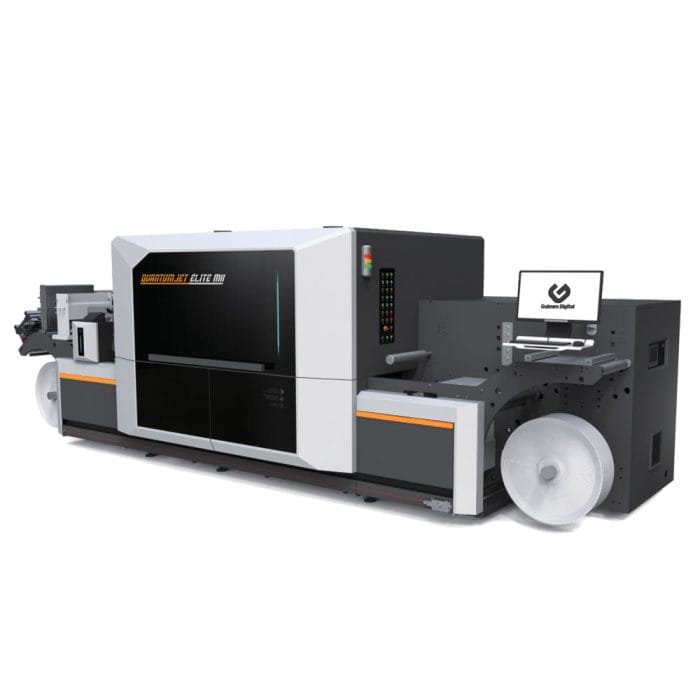
The Quantumjet Elite: Industrial Inkjet Designed in Melbourne
For Australian production environments, local engineering matters.
It affects service response, spare parts availability, machine configuration, support, and whether the equipment has been designed with Australian production requirements in mind.
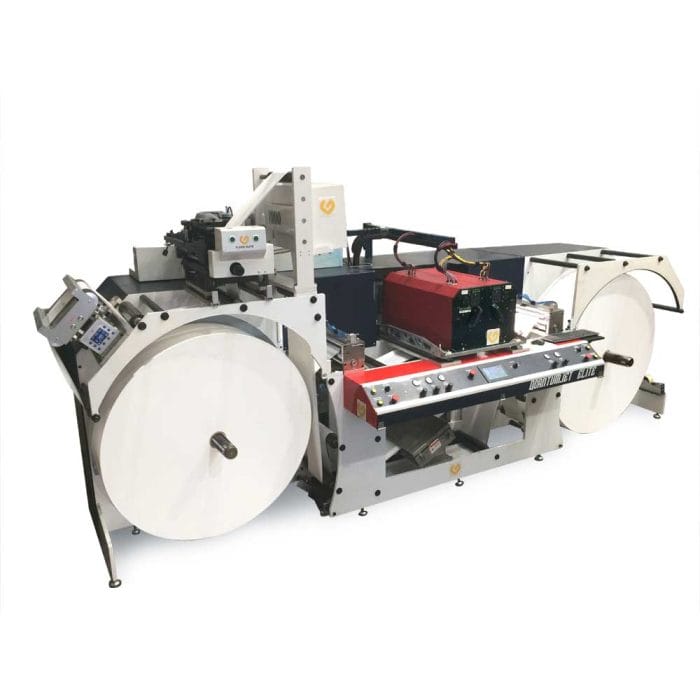
Gulmen Digital’s Quantumjet Elite is an industrial inkjet label printer designed and manufactured in Melbourne for high-resolution, roll-to-roll label and packaging production. It is built for manufacturers that need durable, high-quality, high-speed printing across varied label and packaging applications.
For a production manager evaluating a five-year total cost of ownership, the local engineering model is more than a convenience. It reduces operational risk.
Where Toner Systems Have an Advantage
Toner is not the weaker option. It is the better option in the right environment.
Dry Environments and Durable Everyday Labels
Dry toner output is immediately usable, clean, sharp, and durable for many indoor applications. It performs well for labels that face handling, moderate abrasion, warehouse movement, retail shelf use, and dry production environments.
Barcode scan reliability is a real strength. Toner produces crisp edges and high contrast, which helps with ingredient panels, product codes, internal logistics, and compliance text.
For operations printing lot numbers, batch labels, internal tracking labels, or product labels that do not face outdoor exposure or harsh chemical contact, toner can be simple and effective.
Barcode complies with specifications so it has the best chance of scanning first time.
Lower Upfront Cost for Small Volumes
Industrial inkjet needs a volume or complexity case to justify the capital investment.
If a small manufacturer prints 500 labels a week across a few designs, a compact LED toner label printer may be the more practical starting point. It brings label printing in-house without requiring a full industrial press, finishing line, or large production footprint.
For early-stage businesses, toner can be the right first step. As volumes grow, SKU counts increase, or substrate requirements become more complex, industrial inkjet becomes easier to justify.
Where Thermal Transfer Fits
Thermal printing belongs in this comparison because many Australian manufacturers use thermal systems alongside inkjet or toner.
Direct Thermal
- Direct thermal printing uses heat-sensitive media that darkens where the printhead contacts it.
- There is no ink, toner, or ribbon. It is ideal for short-life shipping labels, courier labels, consignment labels, pick tickets, and temporary compliance stickers.
- The limitation is longevity. Direct thermal labels can fade with heat, light, or time, so they are not appropriate for labels that need long-term legibility.
Thermal Transfer
- Thermal transfer printing uses a ribbon — wax, wax-resin, or full resin — that melts onto the label surface under the printhead.
- With resin ribbon and synthetic label stock, thermal transfer can produce extremely durable monochrome labels. It is a standard choice for asset tags, drum labels, cable markers, rating plates, and industrial identification.
- The limitation is colour. Thermal transfer is built for durable monochrome output, not full-colour branding.
The practical conclusion for most manufacturers is simple: thermal transfer handles monochrome durability labelling, while inkjet or toner handles full-colour product labels. Many production environments need both.
Finishing Matters: Printing Is Only Half the Workflow
A printed label is not always a finished label.
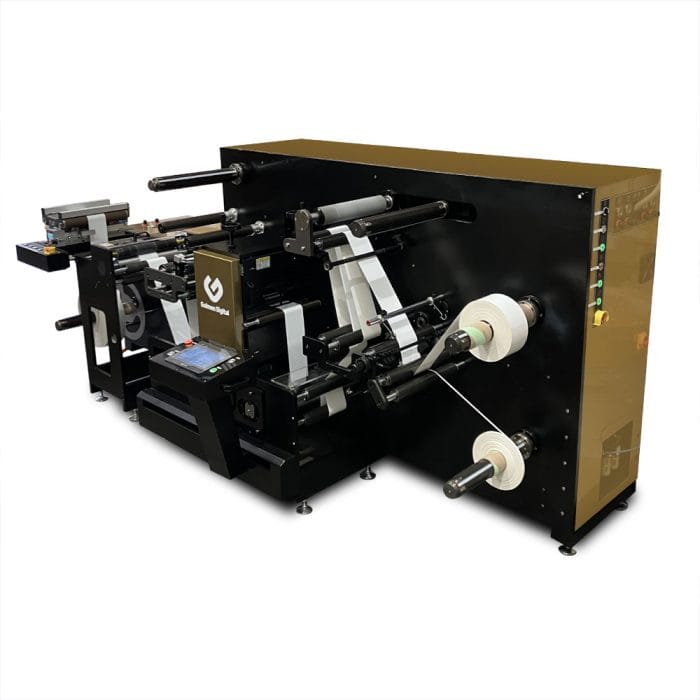
If labels need to be laminated, die-cut, matrix-stripped, slit, or rewound to suit automatic labelling equipment, the finishing workflow must be considered before choosing the printer.
This is where many production teams make expensive mistakes. They choose a printer first, then discover the output does not match the core size, roll direction, outer diameter, shape, or finish required on the application line.
A printer and finishing machine should be specified together.
Here's our hybrid label finisher:
Making the Right Choice for Your Application
The right label printer technology becomes clearer when you answer four questions in order.
1. What Is Your Label Volume and Duty Cycle?
- High daily volumes, frequent SKU changes, variable data, and just-in-time production schedules favour industrial inkjet.
- Moderate, predictable volumes with simple designs and limited changeovers can often be handled well by toner.
2. What Colour and Image Complexity Do Your Labels Require?
- Photographic imagery, gradients, premium branding, extended colour requirements, and very fine regulatory text favour high-resolution inkjet.
- Text-heavy labels, barcodes, batch information, and solid colour areas are well within toner’s capability.
3. What Substrates and Environments Are Involved?
- If labels need to run on polypropylene, polyester, metallised film, clear film, or any substrate sensitive to fuser heat, UV inkjet is usually the stronger technical choice.
- If labels are printed on toner-qualified coated papers or films in controlled, dry conditions, toner may be simpler and more economical.
4. What Is Your Capital Budget and Cost-Per-Label Target?
- Industrial inkjet requires more upfront investment but can become highly competitive at medium-to-high full-colour volumes.
- Toner has a lower entry point and can make more sense at low volumes or in less complex applications.
The only reliable way to decide is to model total cost of ownership using your real label sizes, artwork coverage, monthly volume, substrate mix, maintenance needs, operator time, and current outsourced label costs.
Questions to Ask Before Choosing Inkjet or Toner
Before speaking to any vendor, have answers ready for these questions:
- What is your current monthly label volume?
- What is your projected label volume in 12 to 24 months?
- How many SKUs do you print labels for?
- How often do your labels change?
- What percentage of your labels are full-colour?
- What percentage are mostly text, barcode, or compliance information?
- What substrates do you currently use?
- What substrates will you need in the next three to five years?
- Will labels face moisture, refrigeration, freezer conditions, sunlight, chemicals, abrasion, or wet handling?
- Do labels need lamination, die-cutting, slitting, rewinding, or special roll configuration?
- What is your acceptable cost per 1,000 labels?
- What level of local service and spare parts support do you need?
A vendor should be able to map the machine specification directly to those answers. If they cannot, the system may not be the right fit.
Gulmen Digital can help you compare technologies against your real label volume, substrates, and finishing requirements.
Not sure whether inkjet or toner fits your production workflow? Call (03) 9318 7177. Gulmen Digital’s team is in Victoria.
Frequently Asked Questions
Is Inkjet or Toner Better for Labels?
Neither technology is universally better.
Inkjet label printers are generally stronger for full-colour, photographic-quality labels, variable data, synthetic substrates, and industrial production workflows. UV inkjet is especially useful when labels need durability against water, chemicals, abrasion, or outdoor exposure.
Toner label printers are stronger for sharp text, barcodes, dry output, lower-entry setups, and moderate-volume workflows using toner-compatible label materials. The best choice is the one that matches your actual label specifications.
Which Lasts Longer: Inkjet or Toner Labels?
Label longevity depends on the combination of ink or toner chemistry, substrate, adhesive, finishing, and end-use environment.
Dry toner labels are durable for dry indoor environments and moderate handling. UV-curable inkjet labels on suitable synthetic substrates can equal or exceed toner durability in water, chemical, abrasion, and outdoor applications.
Aqueous inkjet labels on unsuitable media are usually less durable unless laminated or printed on coated inkjet-compatible stock.
Is Inkjet Cheaper Than Toner for High Volumes?
For high-volume, full-colour label production, industrial inkjet can often achieve a lower cost per label than comparable toner output, especially when print volumes are high and equipment utilisation is strong.
At low volumes, toner may be more economical because the upfront cost is lower. The crossover point depends on label size, ink or toner coverage, consumable pricing, substrate cost, maintenance, labour, and downtime.
Can Inkjet Printers Print on Synthetic Labels?
Yes, but the ink and media must be compatible.
UV-curable inkjet can print on many synthetic substrates, including polypropylene, polyester, PVC, and metallised films. Aqueous pigment inkjet can also print on synthetics, but the material usually needs an inkjet-receptive coating. Always test the actual label stock before committing to production.
What Resolution Do I Need for Product Labels?
For standard product labels with clear text, simple graphics, and barcodes, 600 to 900 dpi is usually adequate.
For premium retail labels with photographic imagery, fine gradients, small regulatory text, and detailed branding, 1,200 to 1,600 dpi provides more production headroom. Resolution matters, but it is only one part of label quality. Ink chemistry, substrate, colour management, screening, finishing, and maintenance all affect the final result.

Comments ()