



OKI Label Printer Australia: Pro1040, Pro1050, and When to Step Up to a Production Press
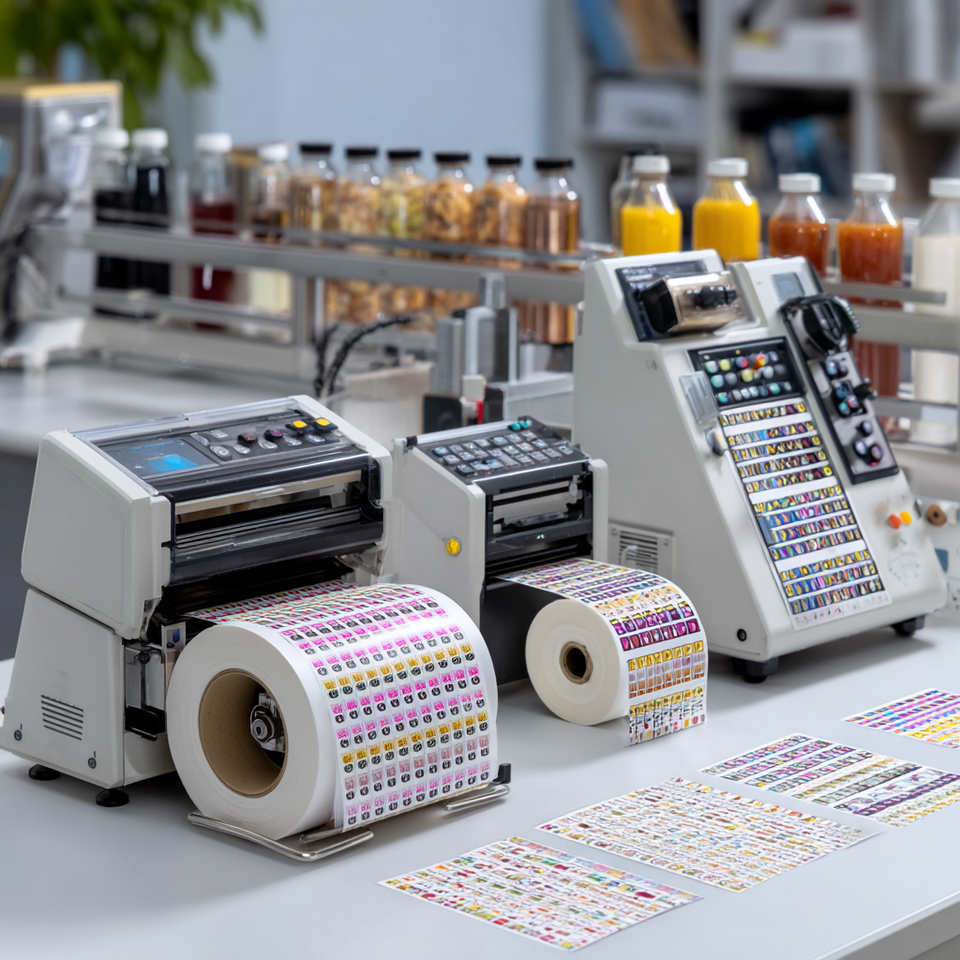
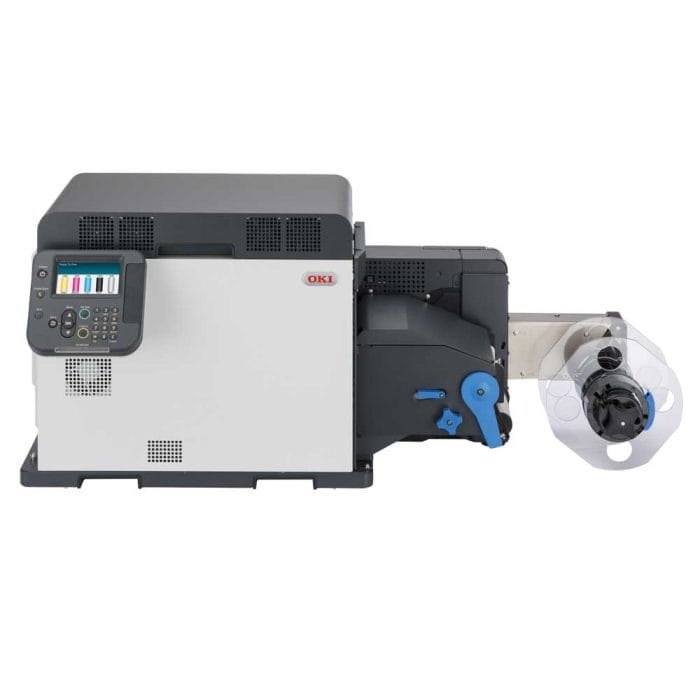
Australian businesses looking to bring label printing in-house have two dedicated OKI label printer models to consider: the OKI Pro1040 and the OKI Pro1050.
Both are compact, roll-fed digital colour label printers built for short-run, on-demand label production. These are not standard office printers with label stock loaded into a tray. They are purpose-built label production devices designed for businesses that need professional-quality labels without outsourcing every run.
The key difference is simple:
- OKI Pro1040: CMYK label printing for white or light-coloured label stock
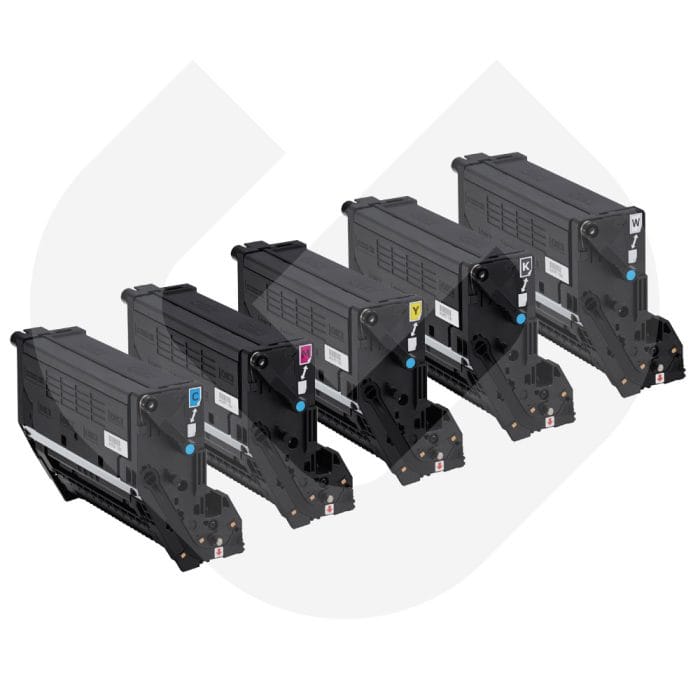
- OKI Pro1050: CMYK + white toner for clear, coloured, dark, and premium substrates
If you are comparing models, checking which printer suits your label workflow, or deciding when to move from a compact toner device to a higher-throughput system, this guide covers the full decision path.

Prefer to talk it through? Call (03) 9318 7177. Gulmen Digital's team is in Ravenhall, VIC.
Quick Answer: Which OKI Label Printer Should You Choose?
What OKI Label Printers Are Available in Australia?
The main OKI label printer models relevant to Australian buyers are the OKI Pro1040 and OKI Pro1050.
Gulmen Digital lists both models for Australian businesses, alongside compatible consumables, label media, and related label production equipment. Availability can vary by model, so it is best to confirm current stock, configuration, and support options directly with Gulmen Digital before purchasing.
These printers sit within OKI’s Pro Series. The range is built for professional label and sticker production rather than general office use.
They are commonly used for:
- Food and beverage labels
- Cosmetic and skincare labels
- Freezer and cold-storage labels
- Horticulture and nursery tags
- Industrial labels
- Short-run promotional stickers
- Product launch labels
- Seasonal and limited-edition packaging
This makes them especially useful for businesses that need flexibility, fast turnaround, and lower minimum order quantities.
Why OKI’s Technology Matters for Label Printing
OKI Pro Series label printers use digital LED dry toner technology. This is different from both standard laser and inkjet printing, and the difference matters in everyday label production.
Digital LED Printing for Sharp Detail
OKI’s LED print engine is designed to deliver sharp output and reliable registration. That matters when a small product label needs to include:
- A scannable barcode
- Fine ingredient text
- Brand artwork
- Compliance information
- Sharp colour detail
For businesses printing labels in-house, this level of consistency is important because the label is often the customer’s first physical interaction with the product.
Dry Toner Durability
The second important distinction is dry toner.
Unlike aqueous inkjet printing, which deposits liquid ink that needs to dry, absorb, or cure, OKI’s toner is fused onto the label substrate. This can help produce labels with resistance to water, temperature changes, UV exposure, and handling, depending on the chosen label media and end-use environment.
This is useful for businesses printing labels for:
- Refrigerated products
- Freezer items
- Garden and nursery products
- Chemical containers
- Health and beauty products
- Food packaging
- Handling and safety labels
For some indoor and light-duty applications, this may reduce the need for lamination. However, lamination should still be considered when labels need extra protection against abrasion, chemicals, heavy outdoor exposure, or demanding transport conditions.
Why White Toner Makes the OKI Pro1050 Different
The biggest difference between the Pro1040 and Pro1050 is the white toner channel.
Most label designs are printed on white stock. On white stock, CMYK colour works well because the white background reflects light and keeps colours vibrant.
But when you print on clear, dark, coloured, kraft, silver, or metallic material, CMYK alone can look dull or washed out. That happens because there is no white base behind the colour.
The OKI Pro1050 solves this with white toner. It can lay down an opaque white layer first, then print CMYK over the top. This helps colours stay bright and readable on non-white materials.
This is especially useful for:
- Clear bottle labels
- “No-label look” packaging
- Black cosmetic labels
- Metallic effect labels
- Dark kraft labels
- Coloured product packaging
- White text on coloured stock
- Premium health, beauty, beverage, and chemical labels
OKI Pro1040 vs OKI Pro1050: Model Comparison
Choose the OKI Pro1040 if:
Your label range is mostly printed on white or light-coloured stock. It is a good fit for businesses that need professional short-run labels but do not need white toner.
Choose the OKI Pro1050 if:
Your artwork depends on white toner, transparent materials, dark backgrounds, or premium label effects.
Good use cases include:
- Clear cosmetic bottle labels
- Dark skincare labels
- Metallic beverage labels
- Kraft-style limited edition labels
- White warning symbols or compliance graphics
- Premium “no-label look” packaging
The practical rule is this: if your labels are white or pale, the Pro1040 may be enough. If your labels involve clear, dark, coloured, or metallic stock, start with the Pro1050.
Who OKI Label Printers Suit Best
OKI Pro Series label printers are strongest when matched to short-run, flexible, on-demand label workflows.
1. Small Businesses and Startups
Startups often need small label runs, frequent artwork changes, and fast turnaround. Outsourcing can become frustrating because trade printers usually require minimum order quantities.
An OKI Pro1040 or Pro1050 lets businesses print only what they need, when they need it.
This helps reduce:
- Obsolete label stock
- Waste from old artwork
- Long lead times
- Freight delays
- Minimum order issues
- Reprint costs after small design changes
For a startup with several SKUs and regular artwork updates, in-house printing can be a practical way to stay flexible.
2. Businesses Printing Short Runs
OKI label printers are a strong fit for businesses printing short-run labels rather than sustained high-volume production runs.
They are useful when you need:
- Sample labels
- Test-batch labels
- Product launch labels
- Seasonal labels
- Limited-edition labels
- Labels for multiple SKU versions
- Fast reprints after artwork changes
This is where in-house digital label printing becomes valuable. You are not locked into large outsourced print runs every time an ingredient, barcode, batch detail, or design changes.
3. Brands With Frequent SKU Changes
Businesses with frequent SKU changes benefit heavily from on-demand label production.
This includes:
- Seasonal food brands
- Breweries and beverage producers
- Cosmetics companies
- Co-packers
- Private-label manufacturers
- Health and wellness brands
- Specialty retail brands
Instead of waiting weeks for a converter, a new label run can be handled internally by changing the file and loading the right media.
4. Print Shops Adding Digital Label Capability
Print shops can also use OKI Pro Series printers as a lower-capital entry point into digital label work.
They are useful for short-run client jobs that need fast, small-batch, professional labels without immediate investment in a larger production press.
The Business Case: In-House vs Outsourced Label Printing
Outsourcing label printing still makes sense when runs are long, artwork is stable, and lead times are not a problem.
But outsourcing becomes less efficient when:
- You need short runs
- Product artwork changes often
- SKUs are added regularly
- Labels become obsolete quickly
- You need labels urgently
- You do not want to hold large inventory
- You need test batches or launch quantities
For example, a small manufacturer with multiple product lines may only need a limited number of labels per batch. If an outsourced printer requires a larger minimum order, the business may end up paying for labels it may not use.
In-house printing helps solve this by reducing:
- Setup delays
- Minimum order constraints
- Long turnaround times
- Waste from outdated labels
- Storage requirements
- Reorder delays
The consumable cost per label still matters, but the total cost picture changes when waste, speed, and flexibility are included.
When to Step Up to the Quantumjet Elite
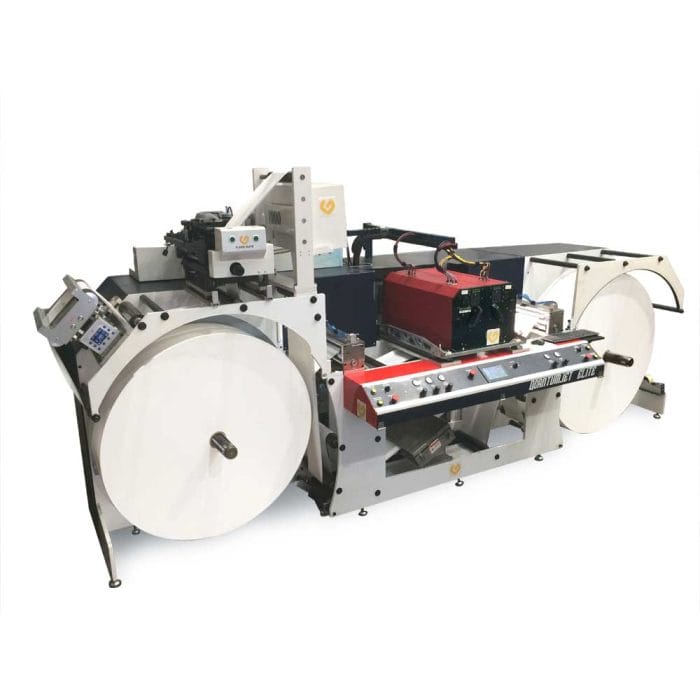
The Quantumjet Elite sits above the OKI Pro Series. It is built for higher-volume, wider-format, industrial label production.
Volume Is the First Trigger
The OKI Pro Series is designed for short-run and on-demand work. Once label production becomes more frequent, more sustained, or more industrial, a larger system becomes more appropriate.
If your team is consistently pushing beyond short-run production and the printer is becoming a bottleneck, it may be time to consider a production press.
Width Is the Second Trigger
The OKI Pro Series supports media widths up to 130 mm and print widths up to 125.76 mm. That is suitable for many product labels, but it can become limiting when a business needs larger labels, wider media, or more efficient production layouts.
The Quantumjet Elite moves into a wider production class, with a maximum print width of 324 mm and a maximum web width of 370 mm.
This matters when you need to produce:
- Larger product labels
- Wider packaging elements
- Multiple labels across the web
- Higher-volume production runs
- More integrated roll-to-roll workflows
Production Integration Is the Third Trigger
As label printing becomes part of a larger production process, throughput and integration matter more.
A higher-throughput printer like the Quantumjet Elite is better suited to:
- Industrial production environments
- Automated finishing workflows
- Higher-volume packing lines
- Longer production runs
- Wider material handling
- More demanding operational schedules
Can You Run OKI and Quantumjet Together?
Yes. Many businesses eventually use both types of equipment.
The OKI Pro Series can handle:
- Short-run versioning
- Sample labels
- Rush jobs
- New SKU launches
- Seasonal variants
- Prototype packaging
The Quantumjet Elite can handle:
- Higher-volume base production
- Wider labels
- Longer runs
- Industrial workflows
- More demanding throughput
This two-tier setup helps businesses match the right machine to the right job instead of forcing every label through one production system.
Support, Consumables, and Setup Through Gulmen Digital
For many first-time buyers, the printer itself is only part of the decision. The bigger operational questions are usually:
- Which media should we start with?
- Which substrates work best with our product?
- How should artwork files be prepared?
- How do we calibrate colour?
- Which toner and consumables do we need?
- How do we set up the printer in our workflow?
- When should we upgrade to a larger system?
Gulmen Digital supplies OKI Pro Series label printers, consumables, compatible media, and guidance for Australian businesses setting up or scaling in-house label production.
Local support is important because label production depends on more than the printer. Toner, drums, fusers, label stock, media compatibility, and setup all affect output quality and downtime.
Having an Australian supplier can help reduce lead-time risk and keep production moving.
Find the Right OKI Label Printer for Your Business
The right label printer depends on your actual production needs: substrate, volume, label size, artwork complexity, and how often your labels change.
If you print mainly on white or light stock, the OKI Pro1040 may be the right starting point.
If you need white toner, clear labels, dark stock, metallic materials, or premium packaging effects, the OKI Pro1050 is the stronger choice.
And if your label production is moving into higher-volume or wider-format territory, it may be time to compare the OKI Pro Series with a production system such as the Quantumjet Elite.
Contact Gulmen Digital to discuss your label requirements, compare OKI models, choose compatible media and consumables, or plan your upgrade path as production scales.

Prefer to talk it through? Call (03) 9318 7177. Gulmen Digital's team is in Ravenhall, VIC.
Frequently Asked Questions
What OKI label printers are available in Australia?
The main OKI label printer models relevant to Australian businesses are the OKI Pro1040 and OKI Pro1050. Gulmen Digital lists both models, along with related consumables and label production equipment. Buyers should confirm current availability, configuration, and support options directly with Gulmen Digital.
Is OKI good for label printing?
Yes. OKI Pro Series printers are built for professional in-house label printing, especially for businesses that need short runs, quick turnaround, and flexible artwork changes.
What is the difference between OKI Pro1040 and OKI Pro1050?
The main difference is white toner. The Pro1040 prints in CMYK. The Pro1050 prints in CMYK plus white, making it suitable for clear, coloured, dark, and metallic substrates.
Can OKI printers print on synthetic labels?
Yes. OKI Pro Series printers can work with compatible synthetic label materials. For best results, the label stock should be matched to the printer’s specifications and fuser requirements.
Does OKI have a white toner label printer?
Yes. The OKI Pro1050 includes white toner. This allows businesses to print white graphics or create a white base under CMYK artwork on clear, coloured, dark, and metallic substrates.
What is the difference between OKI and Quantumjet Elite?
OKI Pro Series printers are compact, short-run digital label printers. The Quantumjet Elite is a higher-throughput industrial label printer for larger volumes, wider formats, and more demanding production workflows.
Where can I buy OKI label printers in Australia?
OKI label printers are listed through Gulmen Digital, an Australian supplier of label printing, packaging, and finishing equipment. Gulmen can advise on model availability, compatible media, consumables, and upgrade options.

Comments ()